Free online · No sign-up · Count or target duration
Audio Looper
Use this free audio looper online to repeat a whole local file or a marked A–B range by count or exact duration, preview the seam, add an optional linear crossfade, and download 16-bit PCM WAV. No sign-up or audio upload is required.
Free to use
No sign-up
Files stay local
Audio looper workspace
Choose a range · Set the length · Create WAV
Files stay local
Drop audio into the looper
Repeat a whole track or an optional A–B range, preview one join, and download WAV. MP3, WAV, FLAC, M4A, AAC, or OGG up to 80 MB.
Three local steps
How to use the audio looper online
Choose a file or A–B range in the audio looper online, set the length, and preview the join before export.
1
Load one local audio file
Choose an MP3, WAV, FLAC, M4A, AAC, or OGG file up to 80 MB. The audio looper online decodes it in this tab, rejects empty, oversized, unsupported, or undecodable input, and keeps the original samples in memory while you pick a source range.
2
Choose whole track or A–B, then set count or duration
Whole track is the default source. Mark A and B at least 0.25 seconds apart and that range automatically becomes the source. Count accepts 2–20 copies. Use exact duration only when you need a clock length. The audio looper online shows the current source, output duration, and estimated WAV size before any full render.
3
Preview the seam, then create WAV
Preview seam renders only a short window around one join so you can hear a click before allocating the whole output. Create WAV starts the full render after you click. The audio looper online immediately drops an older download when the source, A–B range, count, target duration, or crossfade changes.
What the tool shows and controls
What this audio looper online plans before it writes WAV
The audio looper online shows source, duration, and WAV size. Open exact duration or smoothing only when needed.
Whole-track or selected-range repeats
The audio looper online defaults to the complete decoded file. When a valid A–B range exists, that fragment automatically becomes the output source; clearing the range restores the whole track. Transport still plays the original so you can move A and B. This is a file-generation task, not a live Loop Station and not a reverse of the same markers.
Count and target-duration plans
Count mode writes 2–20 copies. If Crossfade is on, the displayed length is the shorter overlapped result. Target duration keeps the length you typed by taking exact frames at the decoded sample rate, including a partial final copy when needed. The audio looper online fails before render if the target is shorter than the source range.
None or linear crossfade at each join
Seams are None or Crossfade. Crossfade defaults to 0.05 seconds, can move from 0 to 2 seconds, and must stay strictly shorter than half the source. Complementary linear weights mix the overlap so the join cannot rise above the louder incoming sample. The audio looper online does not search for zero crossings or musical downbeats.
Short seam preview before a full WAV
Preview seam appears after a file produces a loop plan. Invalid duration or smoothing settings disable it and show the recovery reason beside the controls. A successful preview allocates only the join window. The audio looper online writes 16-bit PCM WAV at the decoded sample rate and channel count only after Create WAV, then revokes that download if the plan changes.
Practical workflows
When a Repeated WAV Is the Right Output
Use the audio looper online when another player or editor needs a longer file.
1
Turn a practice phrase into a longer drill
Mark a riff, lick, or spoken line, set count to a number you can play against, and preview the join. If the start and end do not meet, move A or B or add a short crossfade. The audio looper online gives you a WAV to loop in a player, not a metronome, MIDI click, or auto-detected barline.
2
Extend a bed for video or a game scene
When an editor asks for 45 seconds of the same two-bar pad, use target duration so the file length is exact. Read the estimated WAV size first. The audio looper online will refuse a plan that exceeds the 384 MiB peak of original PCM, output PCM, and WAV, or the 4 GiB RIFF limit, instead of failing after a long render.
3
Build an environmental bed from a short recording
Room tone, rain, or a synth drone often needs many repeats. Start with None. If a periodic click appears, try 0.05 seconds of crossfade, then a slightly longer fade, then a different A–B point. The audio looper online does not claim a seamless audio loop maker result when the waveform still jumps.
4
Keep looping separate from reverse, speed, and key
Use Audio Reverser when the marked range should run backwards inside the same timeline. Use Audio Speed Changer or Pitch Changer when timing or key should move. Use BPM Finder when you still need an estimated tempo. The audio looper online only repeats samples into a longer file.
Practical checklist
Place joins where this audio looper online can repeat
Start with a short source range in the audio looper online and listen across the join.
1
Put A and B on similar waveform height
Choose quieter boundaries, similar vowels, or matching cymbal wash. There is no automatic zero-crossing search; adjust markers first.
2
Use count when you think in repeats, duration when you think in clocks
Use Count for three eight-second copies or Target duration for a 30-second timeline. A target can end on a partial copy.
3
Preview the seam before you pay the memory cost
Check Preview seam before a large render. Adjust the markers or crossfade if it clicks.
4
Treat MP3 input as decoded audio, not restored masters
MP3 input still produces WAV; repetition cannot restore lost detail or tags.
5
Keep the source file after you download
Keep the original and note the source range and repeat settings. Closing the tab discards the plan.
Input, output, and privacy
Audio looper online formats, output size, and privacy
The audio looper online decodes one local file, repeats a source range, and writes 16-bit WAV. It does not find beats, snap to zero crossings, or encode MP3.
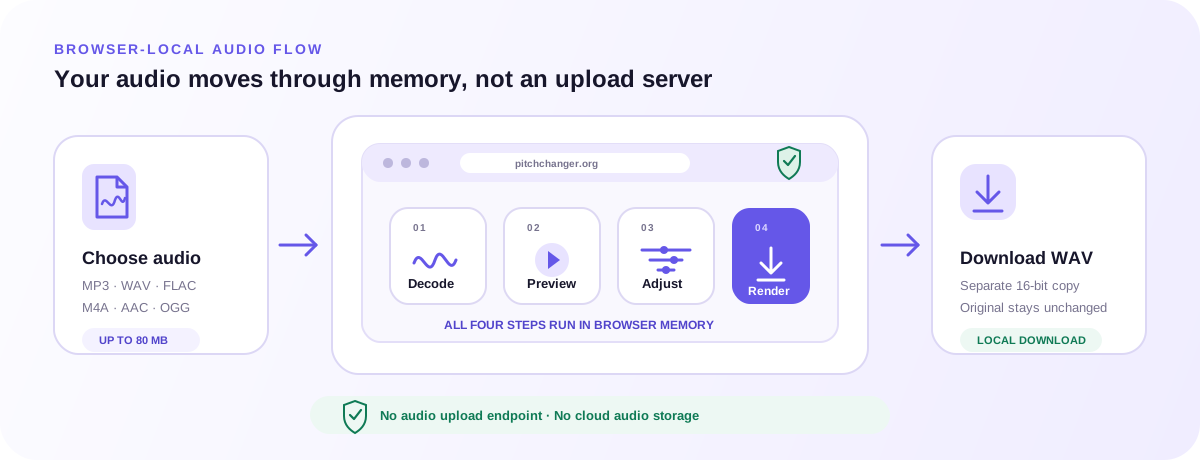
The audio looper online keeps decoded PCM, the planned loop, the short seam preview, and the exported WAV in this browser tab. Analytics receive only coarse tool actions.
Supported files and browser decoding
The picker accepts MP3, WAV, FLAC, M4A, AAC, and OGG up to 80 MB when the browser can decode the codec. Mono and stereo are supported; other channel counts fail before looping. The audio looper online does not upload the file to find another decoder.
16-bit WAV only, with a visible size plan
Output is 16-bit PCM WAV at the decoded sample rate and channels. There is no MP3, M4A, FLAC, or OGG encoder, no batch ZIP, and no URL import. Count mode reports the overlapped duration. Target duration reports the exact planned length. The audio looper online stops when original PCM, output PCM, and WAV would exceed 384 MiB or when the WAV would cross the 4 GiB RIFF limit.
Private browser-local repeats
Filenames, PCM, exact duration, A–B points, repeat counts, target duration, crossfade values, and download bytes stay in this tab. Analytics receive a coarse tool action only. The audio looper online has no account, microphone recorder, or cloud save.
Related browser tools
Choose the audio change that matches your task
Pitch, timing, direction, tone, automatic analysis, and tap-based tempo are different audio tasks. Open the tool whose controls match the result you need. Any file you choose stays inside that tool’s browser-local workflow.